
AI Photo Editor 2026
Professionally edit your photos with AI in seconds
Application of AI Photo & Image Editor recommended for e-commerce optimization.
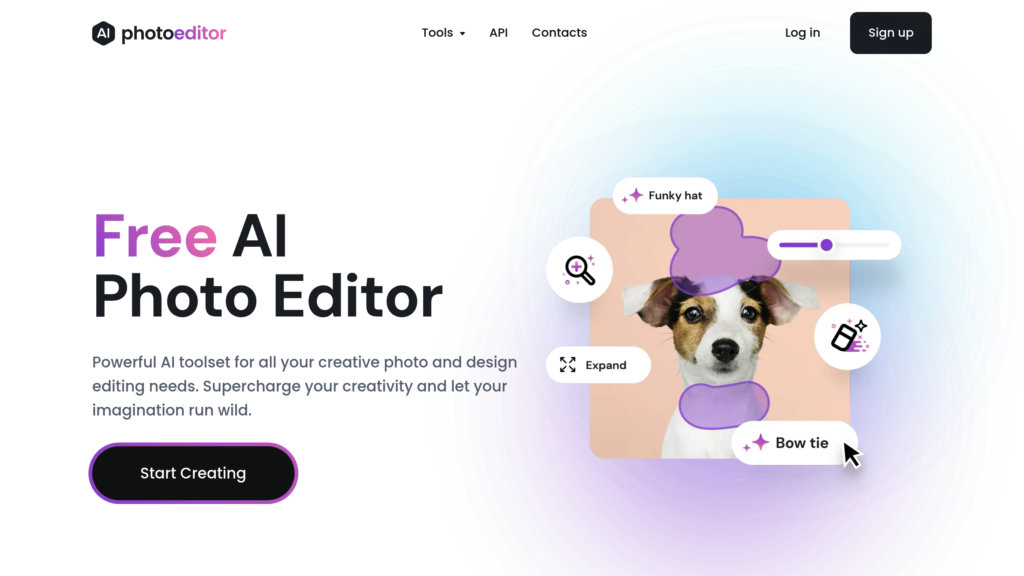
What is AI Photo Editor?
AI Photo Editor is an advanced photo editing platform designed to simplify visual workflows for both professionals and casual users. Utilizing cutting-edge AI algorithms, the tool allows for automated and efficient completion of complex tasks such as object removal, image restoration, and resolution enhancement.
AI Photo Editor's intelligent processing technology stands out for its high-quality inpainting capabilities, enabling the seamless removal of watermarks, people, or imperfections. Additionally, it offers surgically precise background removal features and an upscaling tool that increases resolution up to 4K while preserving every detail.
It is ideal for e-commerce and content creation, allowing for the optimization of product catalogs and real estate photography without the need for expensive software or advanced technical knowledge, while also ensuring total privacy by deleting images after one hour of processing.
For updated information, visit the official site of AI Photo Editor .
Key Features
Uses inpainting algorithms to erase people, text, or watermarks from any photograph. The system analyzes surrounding pixels to naturally fill the removed area, achieving professional results in seconds without complex manual intervention.
Achieve precise cutouts instantly for portraits or products. AI detects the edges of the main subject with high fidelity, allowing for background separation from complex elements like hair or irregular textures for marketing use.
Transform low-quality images or old photos into high-resolution files. Super-resolution technology adds lost details and removes digital noise, allowing blurry photos to reach sharpness suitable for professional printing.
Allows for extending the edges of an image beyond its original framing. Through generative fill, the AI creates content consistent with the style and lighting of the original photo, ideal for adapting image formats for different social networks.
Recovers the quality of damaged or excessively grainy photographs. Deep learning models identify imperfections and correct them automatically, restoring original clarity and contrast to digital or scanned memories.
Enjoy a consistent user experience on both web browsers and mobile devices. No heavy software installation required, allowing for quick edits from anywhere with cloud synchronization.
Use Cases
- E-commerce Optimization : Online sellers use the tool to create clean catalogs. By removing backgrounds and correcting product photo imperfections, they achieve a professional aesthetic that increases buyer trust and reduces returns due to visual lack of clarity.
- Real Estate Marketing : Real estate agents enhance property photos by removing distracting objects and increasing brightness. This allows for the presentation of more spacious and attractive spaces, accelerating the sales process through high-quality visual tours.
- Social Media Management : Content managers leverage generative expansion to adapt the same visual to vertical (Stories) or horizontal formats. This reduces content production time while maintaining impeccable aesthetic consistency across all channels.
- Personal Photography and Portraits : Individual users can touch up selfies and family photos by removing unknown people from the background or correcting skin imperfections. AI allows for photo studio results without needing to learn Photoshop.
Pros and Cons
✅ Advantages
- Automatic object removal with inpainting technology
- High-quality image upscaling up to 4K resolution
- Privacy-focused processing with automatic deletion
- Multi-platform access from web and mobile devices
- Intuitive interface requiring no design skills
- Free plan available for images up to 720px
❌ Disadvantages
- Resolution limits on the free version
- Requires internet connection for cloud processing
- Advanced generative expansion features require a subscription
Who is it for AI Photo Editor?
- E-commerce entrepreneurs needing product photos
- Social media managers and content creators
- Real estate agents looking to improve catalogs
- Amateur photographers seeking quick touch-ups
- Graphic designers looking to automate repetitive tasks
Frequently Asked Questions
What is AI Photo Editor?
How does AI Photo Editor work?
How much does AI Photo Editor cost?
Does AI Photo Editor have a free version?
What is AI Photo Editor used for?
Notice: This site is not affiliated with AI Photo Editor. Information provided for informational purposes. See terms.
Boost Your Productivity with AI Engineering
Explore the most complete and technical directory on the market or contact us to implement custom AI solutions for your business.