
Aftershoot 2026
AI-powered photo culling and editing software for professional photographers
Application of AI Photo & Image Editor recommended for large-scale wedding photography.
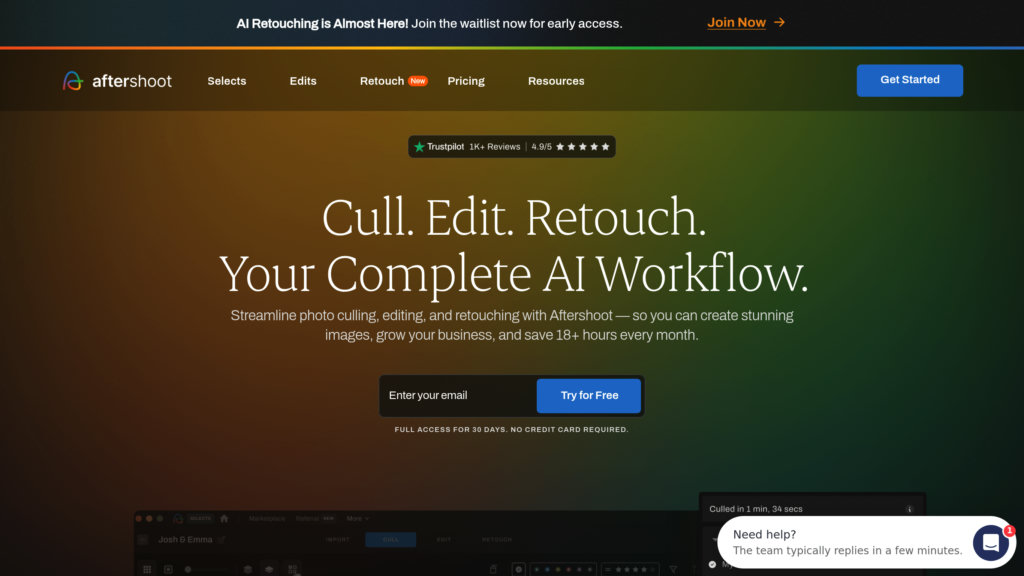
What is Aftershoot?
Aftershoot is an AI photo and image editing platform designed for professional photographers managing large workloads. Using Machine Learning algorithms, it automates tedious culling and retouching tasks quickly and intuitively. The tool stands out for its offline processing and offers features like intelligent culling, custom editing profiles, and auto-cropping. It is ideal for wedding and event photography, allowing users to reduce post-processing time by 90% without sacrificing their personal creative style.
For updated information, visit the official site of Aftershoot .
Key Features
Uses advanced algorithms to automatically group and score thousands of images, identifying the best shots based on focus and expression. This system drastically reduces manual culling time while maintaining the user's final creative control over the photo catalog.
The platform creates a learning model based on your previous edits to replicate your personal style consistently. This ensures that the automated workflow maintains the photographer's visual identity in every professional delivery without constant manual intervention.
Unlike other cloud tools, Aftershoot works natively on Windows and macOS without needing Internet. This allows professionals to work anywhere, ensuring data privacy and superior processing speed by not depending on the network.
Allows exporting metadata and adjustments directly to Adobe Lightroom, Capture One, or Photoshop. This interoperability ensures a continuous post-production process, eliminating the need to import and export heavy files between different design apps.
Applies intelligent processing to automatically correct framing and alignment. The system analyzes composition and suggests the best possible crop, saving hours of fine manual adjustments in sessions with hundreds of images.
Offers a transparent business model with unlimited image processing. Unlike services that charge per edited photo, Aftershoot allows processing full wedding catalogs or massive events without hidden volume costs.
Use Cases
- Large-Scale Wedding Photography : Event photographers handling over 3,000 photos per wedding can automate the initial culling. The system reduces the catalog to the best 500 images in minutes, allowing for 70% faster delivery to final clients.
- Portrait Photography Studios : Portrait professionals use AI to maintain consistent color and exposure style throughout the session. This ensures all delivered photos have the same professional 'look', reinforcing the studio's personal brand.
- Photojournalism and Press Coverage : For visual journalists with immediate deadlines, Aftershoot quickly filters the best shots from intense coverage, allowing them to edit and send material to newsrooms in record time through its optimized workflow.
- Product and E-commerce Photography : Companies producing large volumes of catalog images use auto-straightening to standardize product presentation. This ensures uniform aesthetics in the online store with minimal manual effort.
Pros and Cons
✅ Advantages
- Local processing that works entirely without an internet connection
- Fixed subscription with unlimited image editing and culling
- Native integration with Adobe Lightroom and Capture One
- Ability to learn and replicate the photographer's unique editing style
- Drastic time savings in culling large batches of photos
❌ Disadvantages
- Requires a paid subscription to access all features
- Initial learning curve to train the personal AI profile
- Optimized primarily for human subjects and events
Who is it for Aftershoot?
- Wedding photographers with large delivery volumes
- Social photography and corporate event studios
- Photojournalists needing fast processing
- Professional photo editors seeking automation
Frequently Asked Questions
What is Aftershoot?
How does Aftershoot work?
How much does Aftershoot cost?
Does Aftershoot have a free version?
What is Aftershoot used for?
Notice: This site is not affiliated with Aftershoot. Information provided for informational purposes. See terms.
Boost Your Productivity with AI Engineering
Explore the most complete and technical directory on the market or contact us to implement custom AI solutions for your business.