
AI Video Cut 2026
Repurpose your long videos into viral short clips optimized for social media
Application of AI Video Editor recommended for content creators and youtubers.
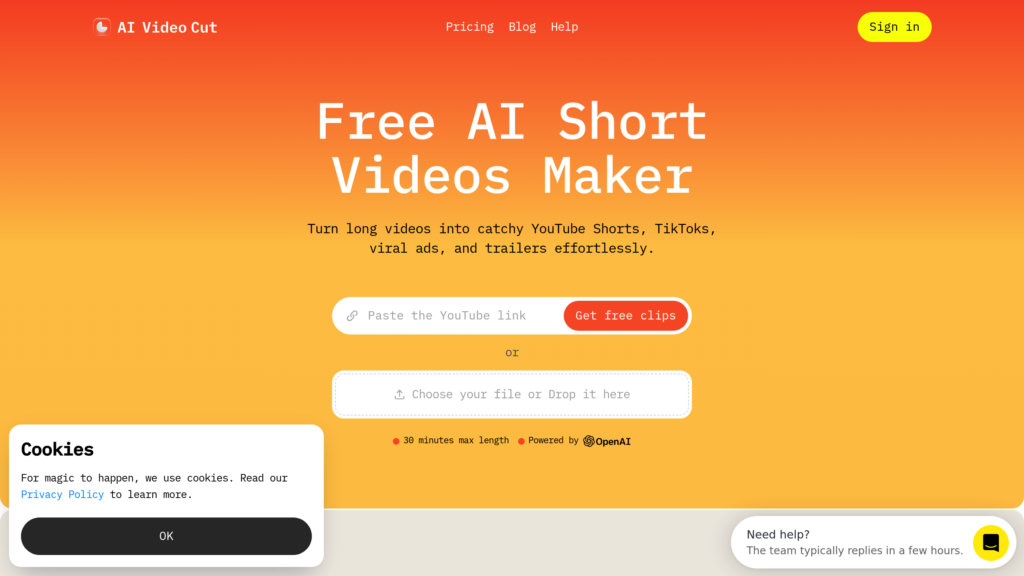
What is AI Video Cut?
AI Video Cut is an AI-powered video repurposing tool designed for content creators and marketing teams. Using advanced speech recognition and OpenAI models, the platform allows you to automatically transform long recordings such as webinars or interviews into dynamic short snippets.
The platform stands out for its intelligent extraction of key moments, allowing users to adjust the aspect ratio for platforms like TikTok or Instagram Reels. It offers features such as automatic multilingual subtitling, customizable prompts, and support for multiple video sources, facilitating scalable content creation.
It is ideal for digital marketing strategies and social media management, helping users maximize their content reach without the need for complex and costly manual editing processes.
For updated information, visit the official site of AI Video Cut .
Key Features
The system analyzes audiovisual content to identify and extract the most impactful fragments from long videos. This semantic analysis technology ensures that the resulting clips maintain narrative coherence and viewer interest autonomously.
Adapt your videos to any platform with 9:16, 16:9, and 1:1 aspect ratio options. This functionality is essential for optimizing visual content for TikTok, Instagram Reels, and YouTube Shorts, ensuring perfect viewing on mobile devices.
Uses state-of-the-art speech recognition algorithms to generate exact transcriptions. The system adds automatic subtitles that improve accessibility and watch time on social media, where many users consume video without sound.
Offers a library of predefined prompts to guide the AI in creating thematic clips or instructional guides. Advanced users can configure custom instructions to obtain specific results aligned with their unique brand identity.
Process content from various sources, including direct file uploads and URL link processing. This versatility facilitates the repurposing of webinars, video podcasts, and live streams without needing to download files first.
Allows defining clip length based on the number of phrases (7, 15, or 25), offering granular control over duration. This methodology ensures the message isn't cut off abruptly and that each clip has a logical and professional closing.
Use Cases
- Content Creators and YouTubers : Content creators use the tool to transform their long YouTube videos into multiple clips for Shorts and TikTok. This allows them to maintain a constant presence across multiple platforms and drive new traffic to their main channels with minimal editing effort.
- Digital Marketing Agencies : Marketing agencies implement the tool to create quick ads from customer testimonials or product demos. By automating the clipping, they achieve a reduction in operational costs and greater agility in launching dynamic advertising campaigns.
- Educators and Online Trainers : E-learning professionals convert webinars and extensive lessons into small educational nuggets or 'micro-learning'. This improves information retention for students and facilitates consumption of educational content on mobile devices during commutes.
- Video Podcasters : Podcasters extract the best quotes and funny moments from their episodes to share on Instagram. This content repurposing strategy is vital for viralizing audio and video fragments that invite the audience to listen to the full episode on streaming platforms.
Pros and Cons
✅ Advantages
- Intelligent automatic highlight extraction
- Support for multiple aspect ratios like 9:16 and 1:1
- Precise automatic subtitle generation in various languages
- Direct integration with YouTube links and other sources
- Intuitive interface that speeds up the creative workflow
❌ Disadvantages
- Subscription required to access advanced features
- Dependency on original audio quality for accurate transcription
Who is it for AI Video Cut?
- Content creators looking for virality on TikTok and Shorts
- Digital marketing agencies managing multiple accounts
- Podcasters needing to promote their episodes on social media
- E-learning companies repurposing educational webinars
Frequently Asked Questions
What is AI Video Cut?
How does AI Video Cut work?
How much does AI Video Cut cost?
Does AI Video Cut have a free version?
What is AI Video Cut used for?
Notice: This site is not affiliated with AI Video Cut. Information provided for informational purposes. See terms.
Boost Your Productivity with AI Engineering
Explore the most complete and technical directory on the market or contact us to implement custom AI solutions for your business.