
AI Renamer 2026
Automatically renames files based on content using AI
Application of AI File Assistant recommended for image library organization.
What is AI Renamer?
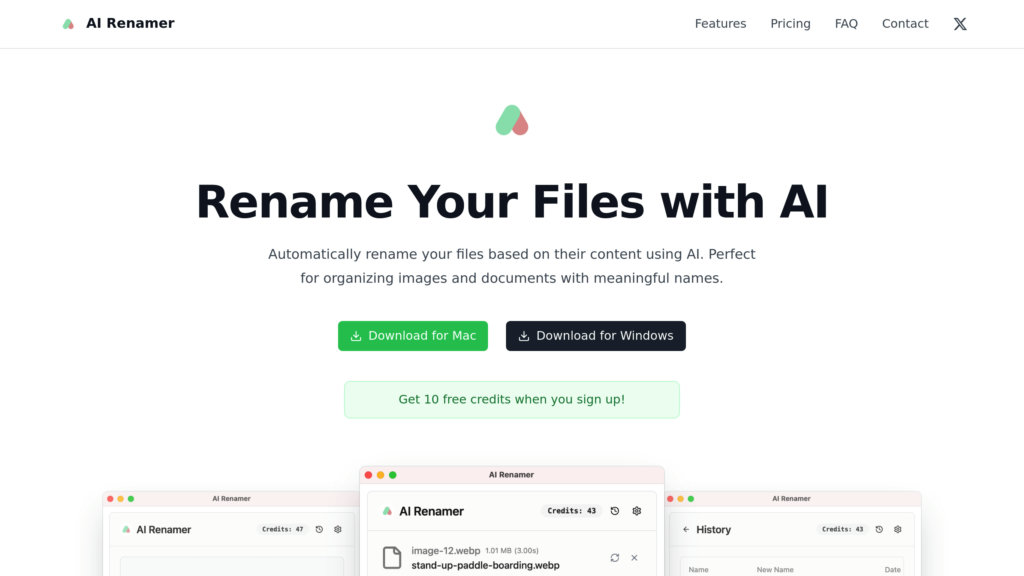
AI Renamer is an advanced AI File Assistant designed to optimize digital organization for professionals and businesses. Using cutting-edge artificial intelligence, the tool analyzes the visual content of images and document text to automatically generate descriptive and meaningful filenames.
The platform stands out for its batch processing capability and technical flexibility, allowing the integration of local models like Ollama and LM Studio to guarantee maximum privacy. It offers key features such as real-time preview, multi-format support for JPG, PNG, and WEBP, and an intuitive drag-and-drop interface.
It is ideal for managing image libraries and multimedia files, allowing users to save hours of manual work without needing repetitive labeling tasks.
For updated information, visit the official site of AI Renamer .
Key Features
Uses computer vision algorithms to analyze image and document content, generating descriptive names that facilitate later searches. The system understands context to avoid generic names.
Allows managing hundreds of files simultaneously. The real-time preview function ensures that AI-generated names are correct before applying final changes to the file system.
Compatible with Ollama and LM Studio, allowing processing to run locally. This ensures sensitive files never leave your device, offering superior data privacy.
Supports a variety of extensions including JPG, PNG, WEBP, and TXT. This versatility makes it indispensable for both photographers and text document administrators.
Designed for maximum efficiency, the interface allows loading files simply by dragging them into the window. It reduces operational friction and significantly accelerates digital workflow.
Implements a pay-as-you-go model using non-expiring credits. This allows users to buy exactly what they need without committing to expensive monthly subscriptions.
Use Cases
- Image Library Organization : Allows photographers to organize thousands of photos with logical names based on visual content automatically.
- Document File Management : Business administrators handling high volumes of scans can rename TXT documents based on internal content, facilitating critical information recovery in seconds.
- Large-Scale Multimedia Projects : Content creators managing video assets can organize their clips and visual resources by topic automatically, reducing editing time by up to 40%.
- Developer Automation : Software developers can integrate local models to automate renaming datasets or application assets while maintaining full control over the execution environment.
Pros and Cons
✅ Advantages
- Smart renaming based on actual file content
- Support for local AI models like Ollama for enhanced privacy
- Efficient batch processing with preview function
- Intuitive interface with drag-and-drop system
- Non-expiring credits for flexible use
❌ Disadvantages
- Credit-based payment system can be expensive for massive volumes
- Requires additional configuration for local model usage
Who is it for AI Renamer?
- Photographers with large image libraries
- System administrators and document managers
- Content creators and video editors
- Developers looking to automate file workflows
Frequently Asked Questions
What is AI Renamer?
How does AI Renamer work?
How much does AI Renamer cost?
Does AI Renamer have a free version?
What file types does AI Renamer support?
Notice: This site is not affiliated with AI Renamer. Information provided for informational purposes. See terms.
Boost Your Productivity with AI Engineering
Explore the most complete and technical directory on the market or contact us to implement custom AI solutions for your business.