
AI Outpainting 2026
Expand and enhance your images in any direction with AI
Application of AI Photo & Image Enhancer recommended for digital artistic enhancement.
What is AI Outpainting?
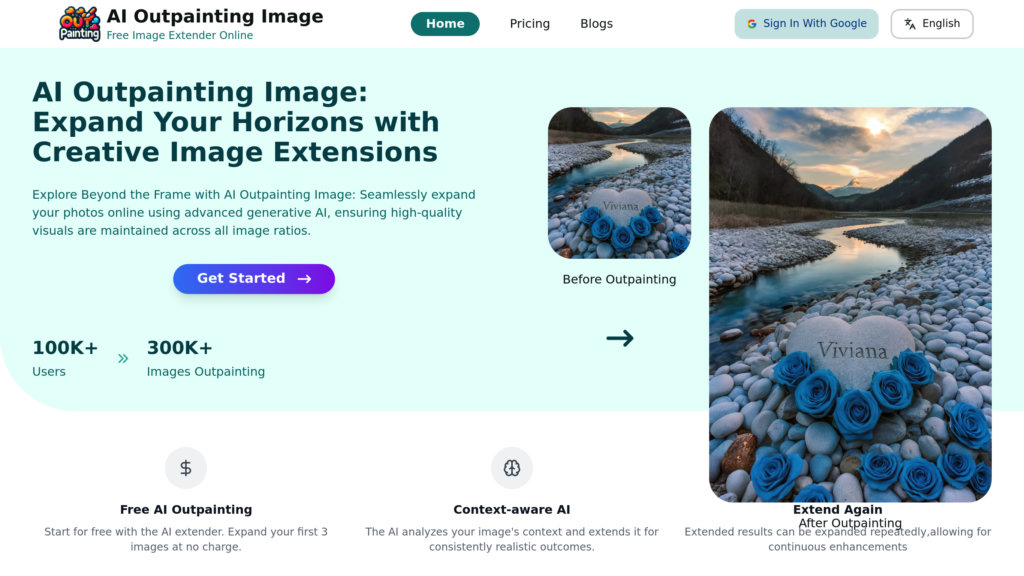
AI Outpainting is an advanced generative AI platform designed to extend photos and artwork beyond their original borders. Using deep learning algorithms, the tool analyzes visual context to generate realistic and coherent expansions in multiple directions while preserving original quality.
The technology stands out for its ability to maintain the style, lighting, and texture of the base image, allowing users to increase pixel dimensions and batch process images. It offers functionalities like multi-directional expansion, resolution enhancement, and intuitive output ratio customization.
It is ideal for graphic design and content creation, allowing photographers and artists to expand their creative canvases without complex manual editing and achieving professional results in seconds.
For updated information, visit the official site of AI Outpainting .
Key Features
Allows extending images seamlessly in all directions (up, down, left, right). It uses generative models to expand the canvas, enabling creative compositions previously impossible without redesigning the entire work from scratch.
The AI meticulously analyzes original style, lighting, and shadows. Thanks to its computer vision algorithms, the new areas generated are indistinguishable from the original photograph, ensuring a natural and harmonious transition.
Not only expands content but also increases resolution and total image size. The super-resolution system preserves clarity and fine details, ensuring the final result is suitable for high-quality printing or 4K screens.
Optimizes professional workflows by allowing simultaneous expansion of up to four images. This parallel processing functionality is vital for content creators who need to adapt multiple visuals to different social media formats quickly.
Designed with a minimal learning curve, the platform guides the user through simple steps: upload, select direction, and download. It is a digital self-service tool that removes the technical complexity of traditional editing software.
Ensures respectful and secure handling of all uploaded images. Cloud processing is performed under strict protocols to ensure user content is not accessible by third parties or used for other purposes without consent.
Use Cases
- Digital Artistic Enhancement : Digital artists can expand their canvases to add intricate details or change the composition of finished works. This allows for exploring new visual narratives without repainting the core elements of the original piece.
- Landscape Photography Optimization : Professional photographers use the tool to expand backgrounds or skies in portraits and landscapes. This is ideal when the original framing was too tight, allowing context recovery and better visual balance.
- Marketing and Advertising Adaptation : Marketing specialists adapt a single image to multiple advertising formats (vertical for Stories, horizontal for web). The AI generates missing content, avoiding black borders or quality-degrading zoom.
- Blog Content Enrichment : Content creators and bloggers can transform standard images into high-quality panoramic visuals. This helps increase website engagement by offering more immersive images that better capture the reader's attention.
Pros and Cons
✅ Advantages
- Seamless multi-directional expansion maintaining original style
- Batch processing capability for up to four images
- Intuitive interface accessible to beginners
- Initial free trial of three image expansions
- Preservation of natural textures, shadows, and lighting
❌ Disadvantages
- Limit of three expansions in the free trial version
- Requires internet connection for cloud processing
Who is it for AI Outpainting?
- Graphic designers needing quick format adaptation
- Photographers looking to improve shot composition
- Social media and blog content creators
- Digital marketing and visual advertising agencies
- Digital artists wishing to expand their creative works
Frequently Asked Questions
What is AI Outpainting?
How does AI Outpainting work?
How much does AI Outpainting cost?
Is there a free version of AI Outpainting?
What is AI Outpainting used for?
Notice: This site is not affiliated with AI Outpainting. Information provided for informational purposes. See terms.
Boost Your Productivity with AI Engineering
Explore the most complete and technical directory on the market or contact us to implement custom AI solutions for your business.